Question
- What sections can I use to add video to my site pages?
- How can I add a video to my course landing page?
Solution
If you'd like to add a video to one of your landing pages, you have a couple of section options! You can learn how to add a Site Builder section here.
Video Section
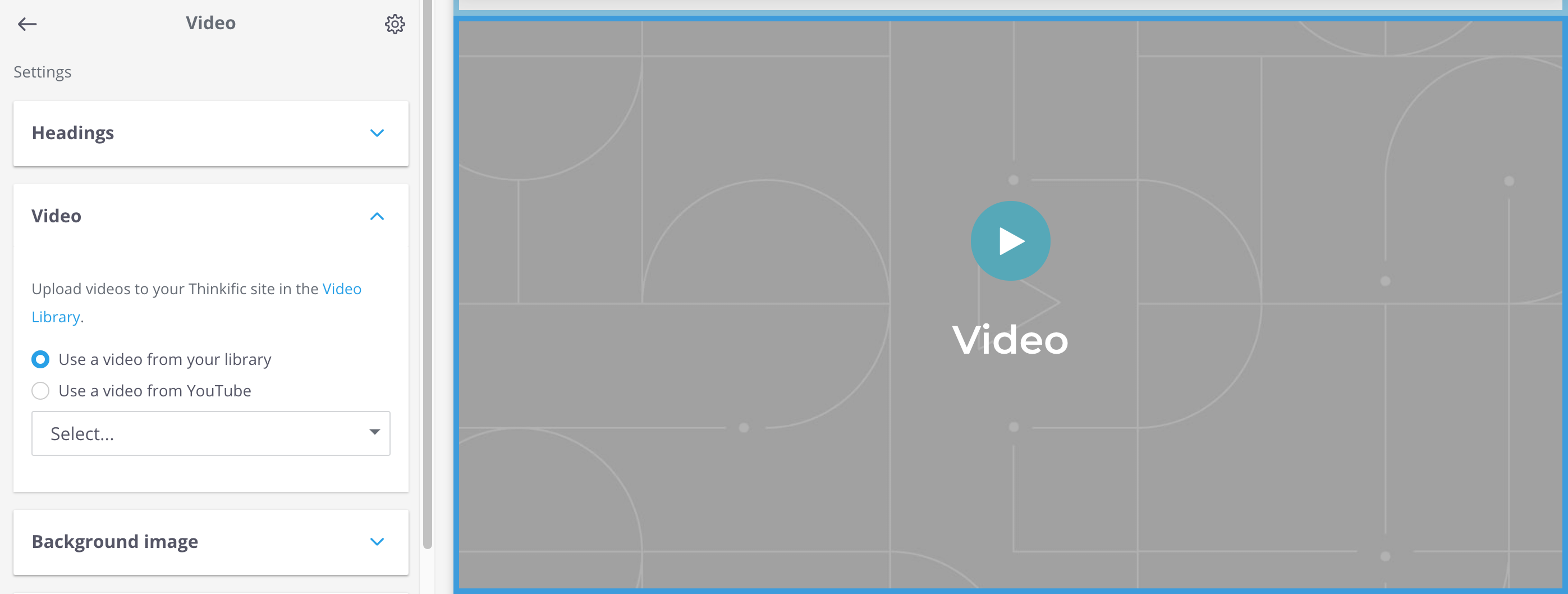
A Video section will display a single video within a block on your page:
Text & Media Section
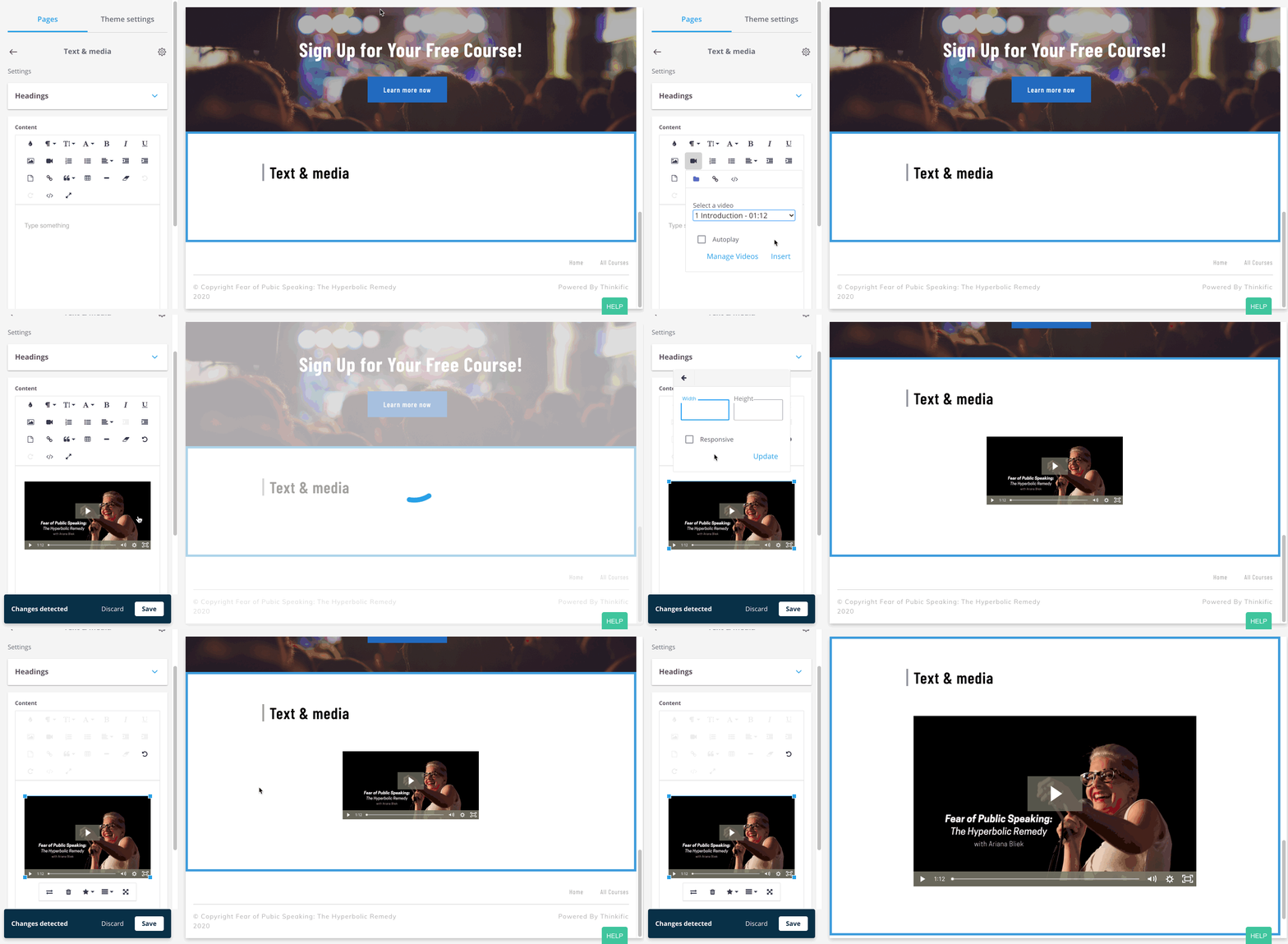
You can also add one or more videos within a Text & media section using the camera icon to insert your video. Make sure to use the responsive option to make sure the video appears as large as possible on your landing page.
Banner (Vision Theme Only)
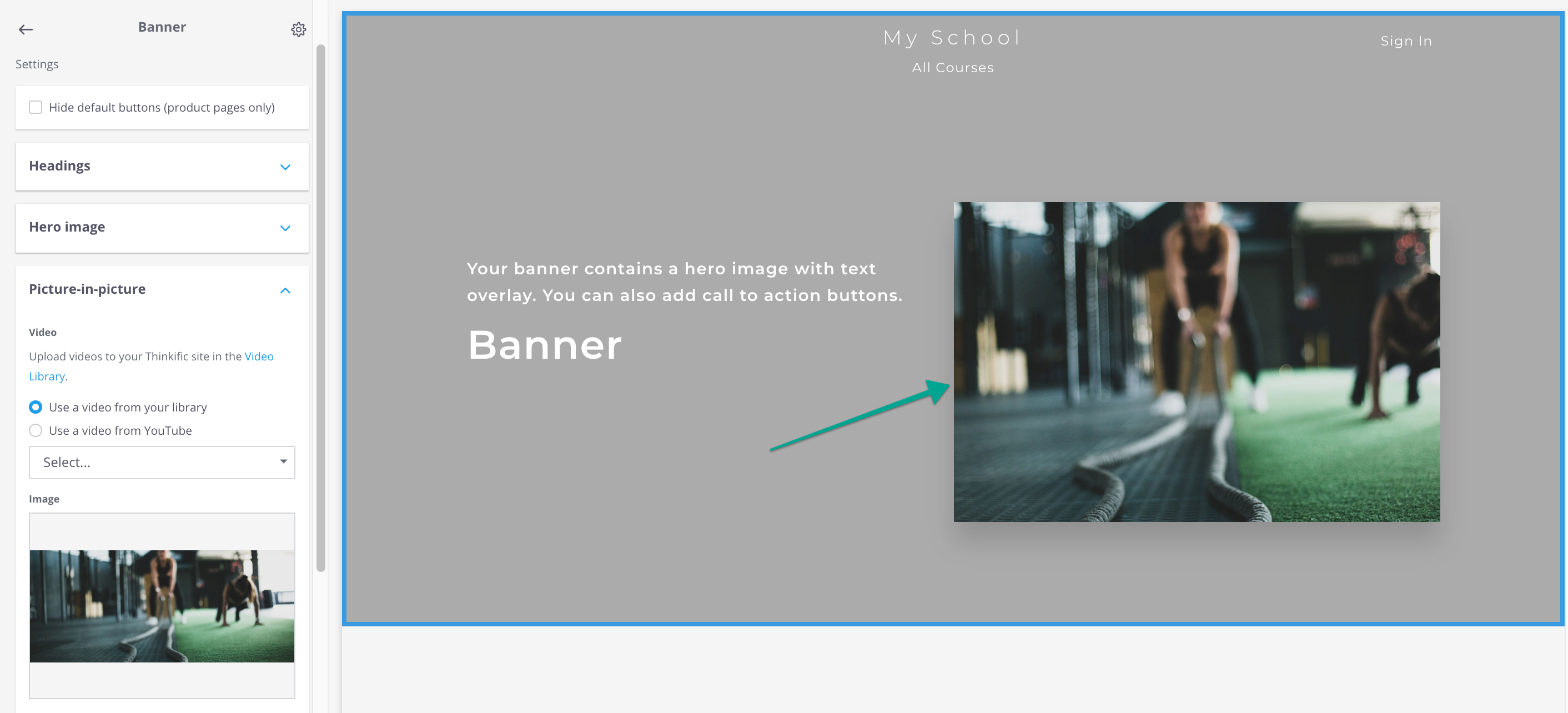
In the Vision theme, banners automatically include a video that can be aligned to the left or right within your banner. You can select your desired video within the Picture-in-picture settings: