Question
- Which courses still have an Accredible certificate assigned?
- Can I see a list of courses linked to Accredible and Thinkific certificates?
Solution
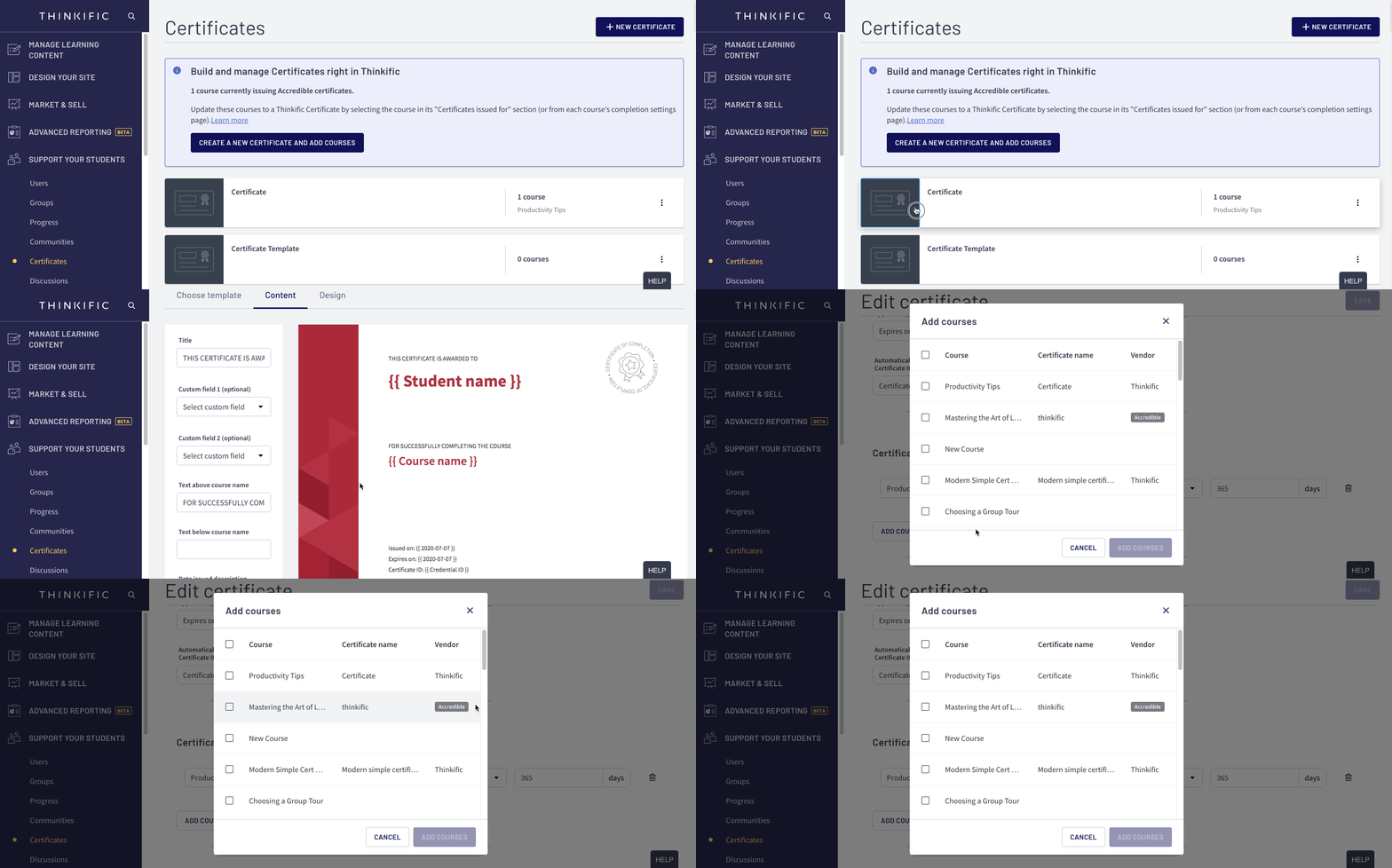
The simplest way to check this is to edit an existing Thinkific certificate and click Add Courses to view currently linked certificates.
- Go to Support Your Students
- Select Certificates
- Click on a Certificate
- Scroll to the bottom of the page and click Add Courses
- Here you'll see a Vendor column that lists if your course is connected to Thinkific or Accredible
If you haven't created a Thinkific Certificate yet, you can see how to get started here: Thinkific Certificates
Learn More About
How to Migrate from Accredible to Thinkific Certificates