When using the Thinkific Shopify App, there are fields required in your Shopify checkout to ensure students can access their courses.
In order for a student to be enrolled into your course after a successful Shopify purchase, Thinkific requires their first name, last name and email address. These fields will be automatically sent to Thinkific based on your Shopify checkout form.
If your Shopify checkout does not have these set as required fields and a student leaves a field blank, they will not be enrolled into your course.
Check out the instructions below to make sure your students are required fill out these fields!
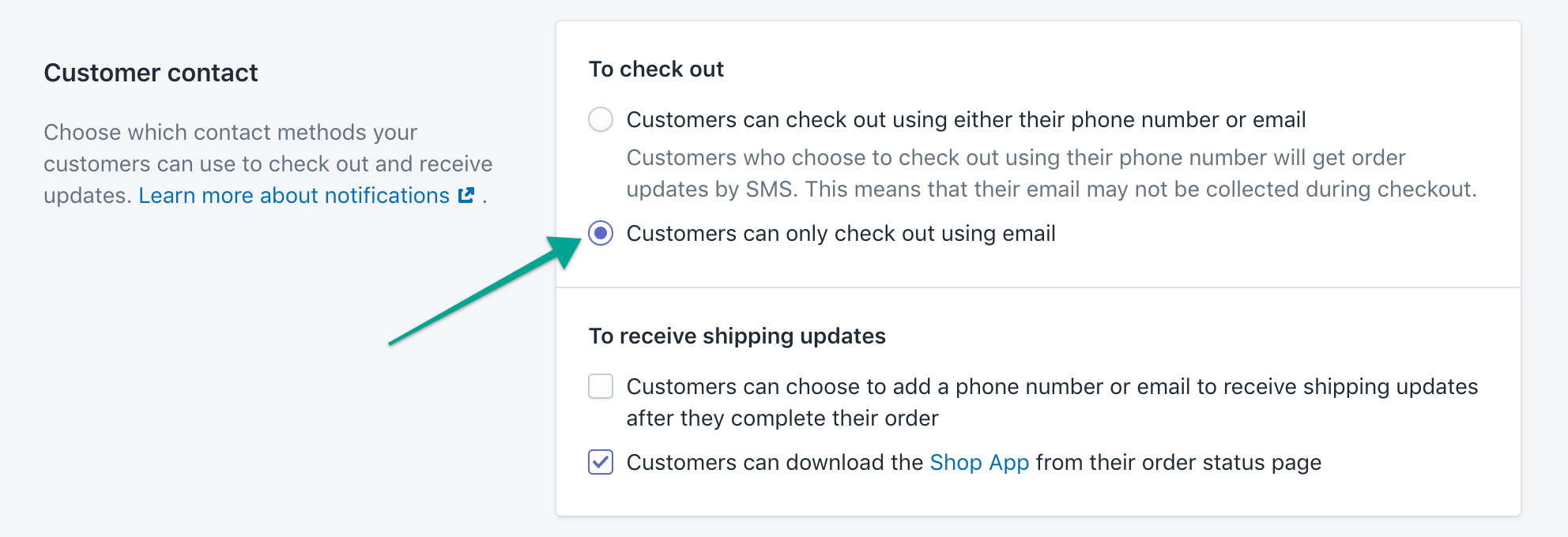
Email Address Required
- Go to your Shopify checkout settings: https://www.shopify.com/admin/settings/checkout
- Under Customer contact, select Customers can only check out using email
- Save your changes
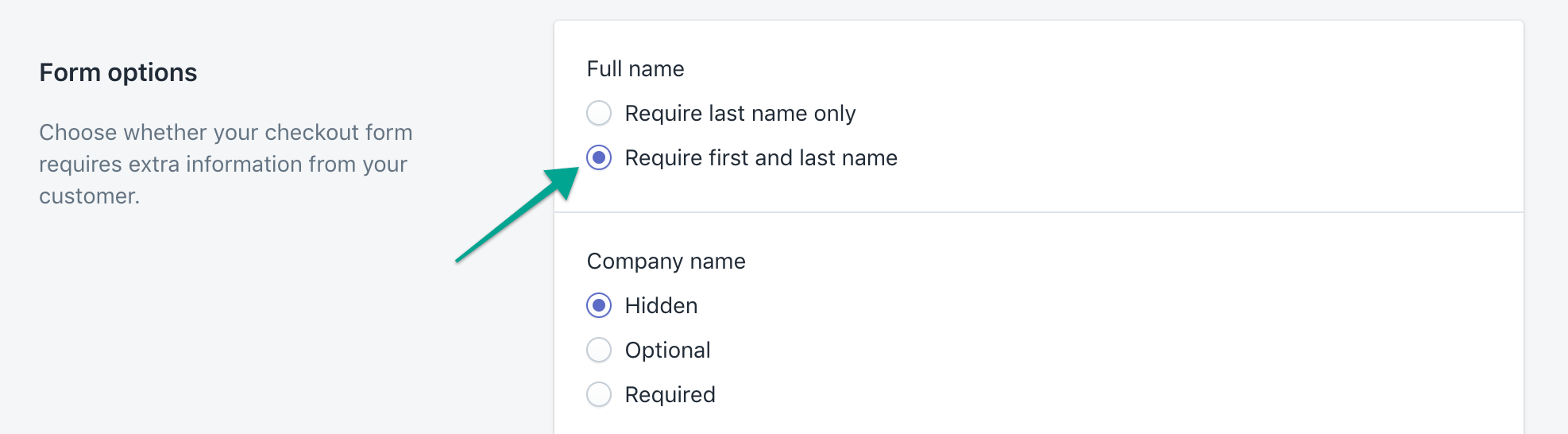
First and Last Name Required
- Go to your Shopify checkout settings: https://www.shopify.com/admin/settings/checkout
- Under Form options, select Require first and last name
- Save your changes
You can see more details on how to adjust your checkout form in Shopify here: Editing the checkout form options.